
Introduction
An RPM-based installation performs preinstallation checks, extracts the database software, reassigns ownership of the extracted software to the preconfigured user and groups, maintains the Oracle inventory, and runs all root operations required to configure the Oracle AI Database software for a single-instance Oracle AI Database creation and configuration.
The RPM–based installation process detects when the minimum requirements for an installation are not met and prompts you to finish these minimum preinstallation requirements.
Perform the following steps to install and configure Oracle AI Database Free using RPM packages. Before you install Oracle AI Database 26ai Free, uninstall any existing Oracle Database XE or Oracle Database Free or database with the SID XE or FREE from the target system.
Prerequisites
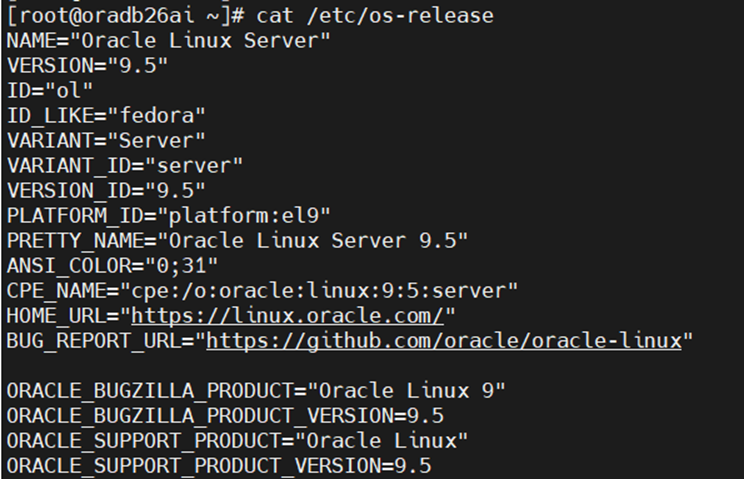
OS: Oracle Linux 8 or 9 (x86_64).
Specs: 2+ CPU cores, 6GB RAM (8GB+ recommended), 50GB Disk space.
User: Root or sudo privileges.
Download the Software Packages
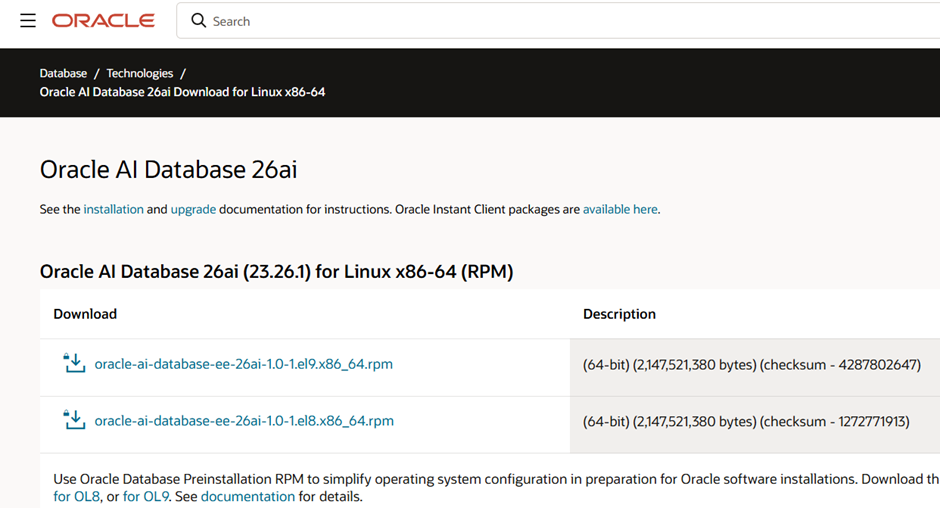
You need the Pre-installation RPM and the Database Engine RPM. Visit the Oracle 26ai Downloads page https://www.oracle.com/database/technologies/oracle26ai-linux-downloads.html to grab the latest.
Installing Oracle AI Database Free RPM for Linux x86-64
Log in as the root user.
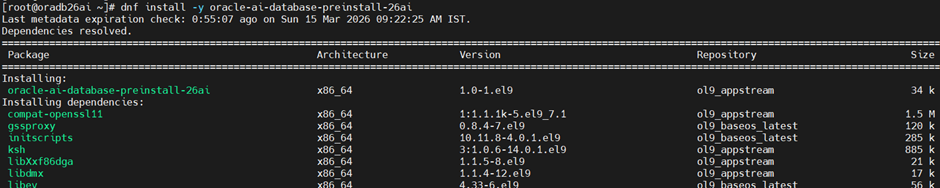
Install the Oracle AI Database Preinstallation RPM.
Oracle Linux 8 and Oracle Linux 9
dnf -y install oracle-ai-database-preinstall-26ai
Red Hat Enterprise Linux 8
Go to the Oracle yum site:
https://yum.oracle.com/repo/OracleLinux/OL8/appstream/x86_64
Download the latest 26ai Oracle AI Database Preinstallation RPM. For example, oracle-ai-database-preinstall-26ai-1.0-0.1.el8.x86_64.rpm
Install the latest Preinstallation RPM. For example:
dnf -y install oracle-ai-database-preinstall-26ai-1.0-0.1.el8.x86_64.rpm
Red Hat Enterprise Linux 9
Go to the Oracle yum site:
https://yum.oracle.com/repo/OracleLinux/OL9/appstream/x86_64
Download the latest 26ai Oracle AI Database Preinstallation RPM. For example, oracle-ai-database-preinstall-26ai-1.0-0.1.el9.x86_64.rpm
Install the latest Preinstallation RPM. For example:
dnf -y install oracle-ai-database-preinstall-26ai-1.0-0.1.el9.x86_64.rpm
Access the Oracle AI Database Free software download page:
https://www.oracle.com/database/technologies/free-downloads.html
Download the oracle-ai-database-free-26ai-23.26.0-1.el8.x86_64.rpm or oracle-ai-database-free-26ai-23.26.0-1.el9.x86_64.rpm RPM file required for performing an RPM-based installation to a directory of your choice.
Install the database software
For Oracle Linux 8 and Red Hat Enterprise Linux 8
dnf -y install oracle-ai-database-free-26ai-23.26.0-1.el8.x86_64.rpm
For Oracle Linux 9 and Red Hat Enterprise Linux 9
dnf -y install oracle-ai-database-free-26ai-23.26.0-1.el9.x86_64.rpm
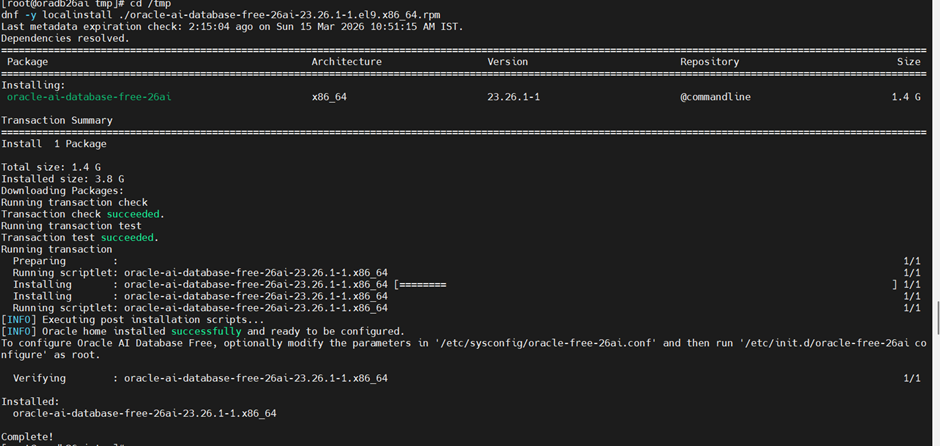

Creating and Configuring an Oracle AI Database
The configuration script creates a container database (FREE) with one pluggable database (FREEPDB1) and configures the listener at the default port (1521).
You can modify the configuration parameters by editing the /etc/sysconfig/oracle-free–26ai.conf file.
To create the database with the default settings:
Log in as root using sudo.
sudo -i
Run the service configuration script:
[root@oradb26ai tmp]# export DB_PASSWORD='StrongPass#01'

[root@oradb26ai tmp]# (echo "${DB_PASSWORD}"; echo "${DB_PASSWORD}") | /etc/init.d/oracle-free-26ai configure
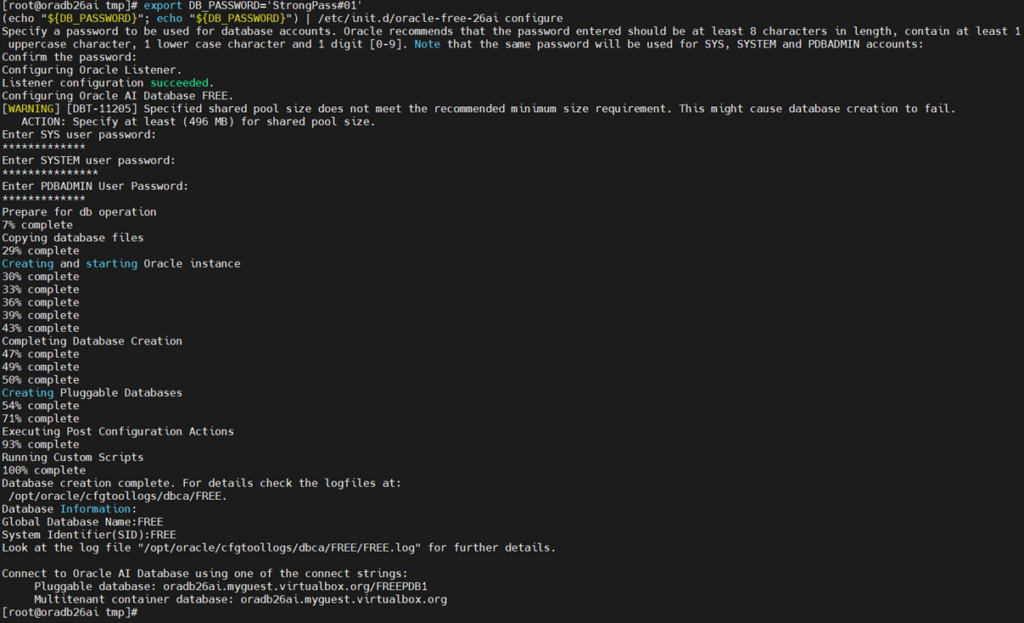
ABOVE WARNING IS DUE TO LESS MEMORY/CPU & STORAGE. Below proceeding with Installation perform prerequisites of VM Resource.
Current Configuration:
-----------------------
[root@oradb26ai ~]# df -h
Filesystem      Size  Used Avail Use% Mounted on
devtmpfs        4.0M     0  4.0M   0% /dev
tmpfs           756M  1.1M  755M   1% /dev/shm
tmpfs           303M  4.4M  298M   2% /run
/dev/sda1        19G   13G  4.7G  74% /
session         475G  290G  186G  61% /media/sf_session
tmpfs           152M  8.0K  152M   1% /run/user/0
tmpfs           152M  8.0K  152M   1% /run/user/1000

[root@oradb26ai ~]# free -g
               total        used        free      shared  buff/cache   available
Mem:               1           1           0           0           0           0
Swap:              0           0           0

[root@oradb26ai ~]# lscpu
Architecture:             x86_64
  CPU op-mode(s):         32-bit, 64-bit
  Address sizes:          46 bits physical, 48 bits virtual
  Byte Order:             Little Endian
CPU(s):                   1
  On-line CPU(s) list:    0
Minimum Configuration Required:
-------------------------------------------
RAM: 4096 MB (minimum)
Recommended: 6144 MB

CPU: 3 cores

Increase VM disk to 50 GB
At the command prompt, specify a password for the SYS, SYSTEM, and PDBADMIN administrative user accounts. Oracle recommends that your password should be at least 8 characters in length, contain at least 1 upper case character, 1 lower case character, and 1 digit [0-9].
This is where 26ai deviates from older manual installs. The setup is highly automated.
Configure (Optional): Edit /etc/sysconfig/oracle-ai-database-26ai.conf if you want to change the Listener port or SID (default is FREE).
Initialize: Run the configuration script as root:
We can of course create a database in the normal way, using the Database Configuration Assistant (DBCA). We don’t have to use this script.
Final Verification
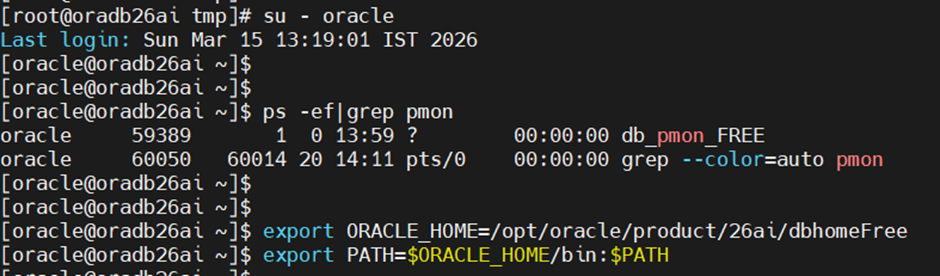
From the “oracle” user we can connect as follows.
Connect to your new AI-enabled database:
[oracle@oradb26ai ~]$ export ORACLE_HOME=/opt/oracle/product/26ai/dbhomeFree
[oracle@oradb26ai ~]$ export PATH=$ORACLE_HOME/bin:$PATH
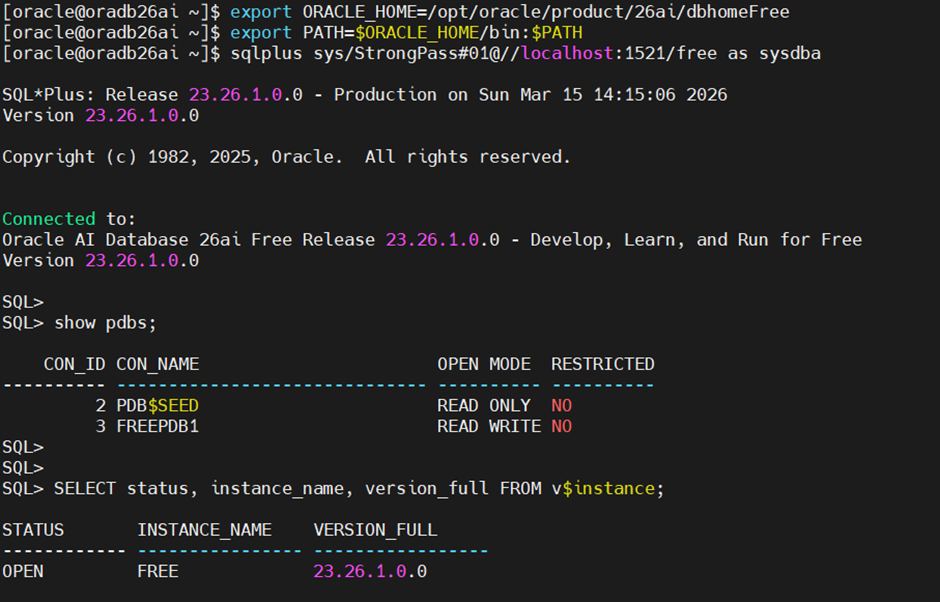
[oracle@oradb26ai ~]$ sqlplus sys/StrongPass#01@//localhost:1521/free as sysdba

SQL*Plus: Release 23.26.1.0.0 - Production on Sun Mar 15 14:15:06 2026
Version 23.26.1.0.0

Copyright (c) 1982, 2025, Oracle.  All rights reserved.

Connected to:
Oracle AI Database 26ai Free Release 23.26.1.0.0 - Develop, Learn, and Run for Free
Version 23.26.1.0.0

SQL> show pdbs;

    CON_ID CON_NAME                       OPEN MODE  RESTRICTED
---------- ------------------------------ ---------- ----------
         2 PDB$SEED                       READ ONLY  NO
         3 FREEPDB1                       READ WRITE NO

SQL> SELECT status, instance_name, version_full FROM v$instance;

STATUS       INSTANCE_NAME    VERSION_FULL
------------ ---------------- -----------------
OPEN         FREE             23.26.1.0.0
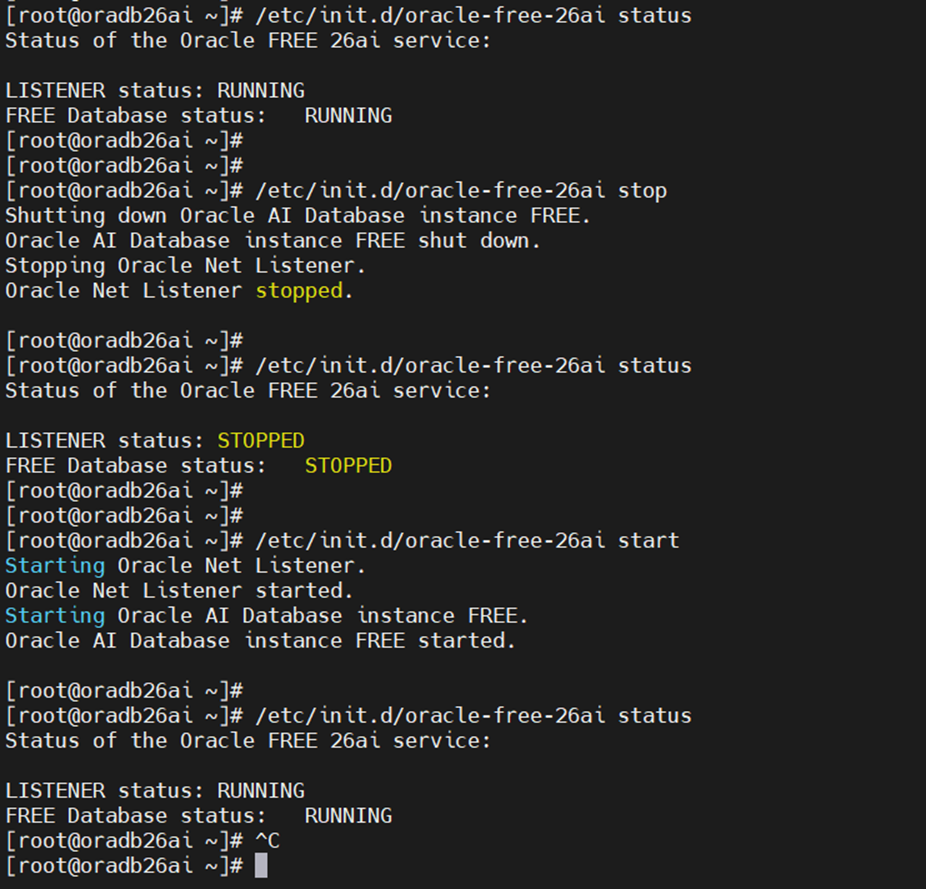
We can stop and start the service from the root user with the following commands.
/etc/init.d/oracle-free-26ai status
/etc/init.d/oracle-free-26ai stop
/etc/init.d/oracle-free-26ai start