
Introduction
Bigfile tablespaces were first introduced in Oracle Database 10g to simplify tablespace management and support very large databases. In recent releases such as Oracle Database 26ai, Oracle has moved further in that direction by making bigfile tablespaces the default in most scenarios.
This article explores how the default behavior has evolved and what you can expect when creating or inspecting tablespaces in CDB and PDB environments.
Bigfile Tablespaces
A bigfile tablespace contains only one datafile, but that datafile can grow extremely large. This design simplifies file management and reduces the number of files that need to be tracked by the database.
In contrast, smallfile tablespaces can contain multiple datafiles but each file has a smaller size limit.
Key advantages of bigfile tablespaces include:
- An Oracle database can have a maximum of 64,000 datafiles which limits its total capacity. By allowing tablespaces to have a single large datafile the total capacity of the database is increased. A bigfile tablespace with 8K and 32K blocks can contain 32 terabyte and 128 terabyte datafiles respectively.
- Using fewer larger datafiles allows the DB_FILES and MAXDATAFILES parameters to be reduced, saving SGA and controlfile space.
- The ALTER TABLESPACE syntax has been updated to allow operations at the tablespace level, rather than datafile level.
Default Tablespaces in the Root Container
In Oracle Database 26ai, most system-provided tablespaces are created as bigfile tablespaces by default.
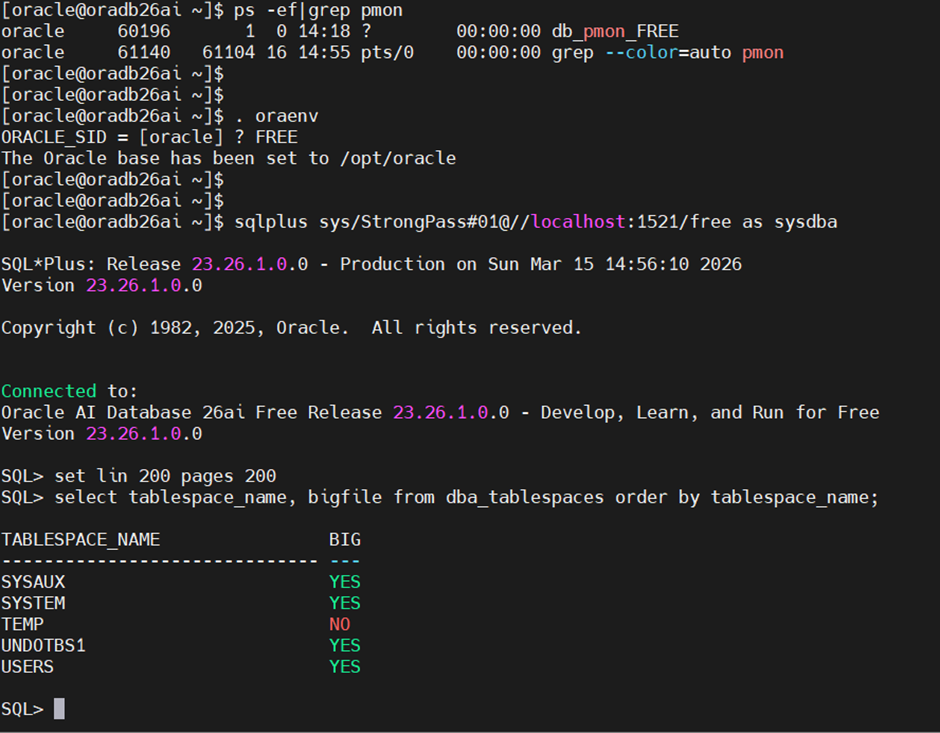
Let’s verify this by connecting to the root container (CDB$ROOT).
Most of the core system tablespaces are bigfile tablespaces, except for the TEMP tablespace, which remains smallfile in this configuration.
[oracle@oradb26ai ~]$ . oraenv
ORACLE_SID = [oracle] ? FREE
The Oracle base has been set to /opt/oracle
[oracle@oradb26ai ~]$
[oracle@oradb26ai ~]$
[oracle@oradb26ai ~]$ sqlplus sys/StrongPass#01@//localhost:1521/free as sysdba

SQL*Plus: Release 23.26.1.0.0 - Production on Sun Mar 15 14:56:10 2026
Version 23.26.1.0.0

Copyright (c) 1982, 2025, Oracle.  All rights reserved.


Connected to:
Oracle AI Database 26ai Free Release 23.26.1.0.0 - Develop, Learn, and Run for Free
Version 23.26.1.0.0

SQL> set lin 200 pages 200
SQL> select tablespace_name, bigfile from dba_tablespaces order by tablespace_name;

TABLESPACE_NAME                BIG
------------------------------ ---
SYSAUX                         YES
SYSTEM                         YES
TEMP                           NO
UNDOTBS1                       YES
USERS                          YES
SQL> show pdbs;

    CON_ID CON_NAME                       OPEN MODE  RESTRICTED
---------- ------------------------------ ---------- ----------
         2 PDB$SEED                       READ ONLY  NO
         3 FREEPDB1                       READ WRITE NO
SQL>
SQL> alter session set container = freepdb1;

Session altered.

SQL> select tablespace_name, bigfile from dba_tablespaces order by tablespace_name;

TABLESPACE_NAME                BIG
------------------------------ ---
SYSAUX                         YES
SYSTEM                         YES
TEMP                           NO
UNDOTBS1                       YES
USERS                          YES
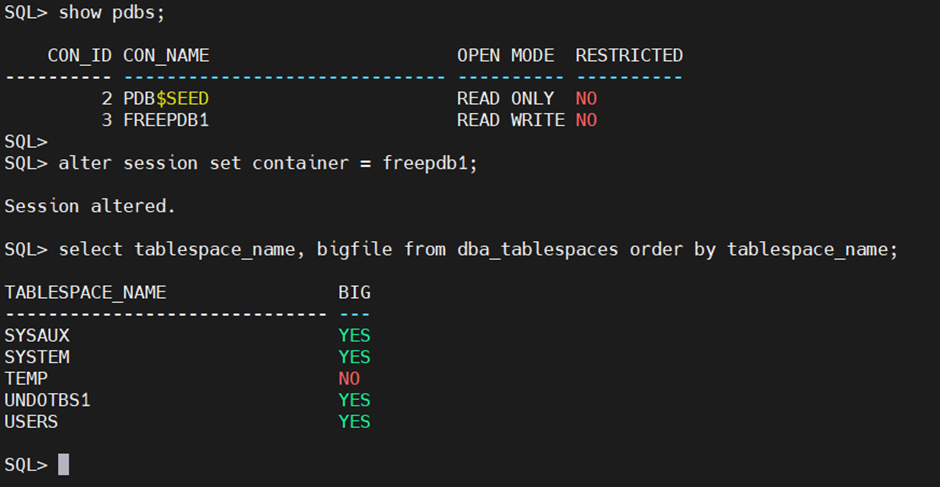
In a PDB, the USERS tablespace is created as a smallfile tablespace by default in the current Oracle Database Free releases.
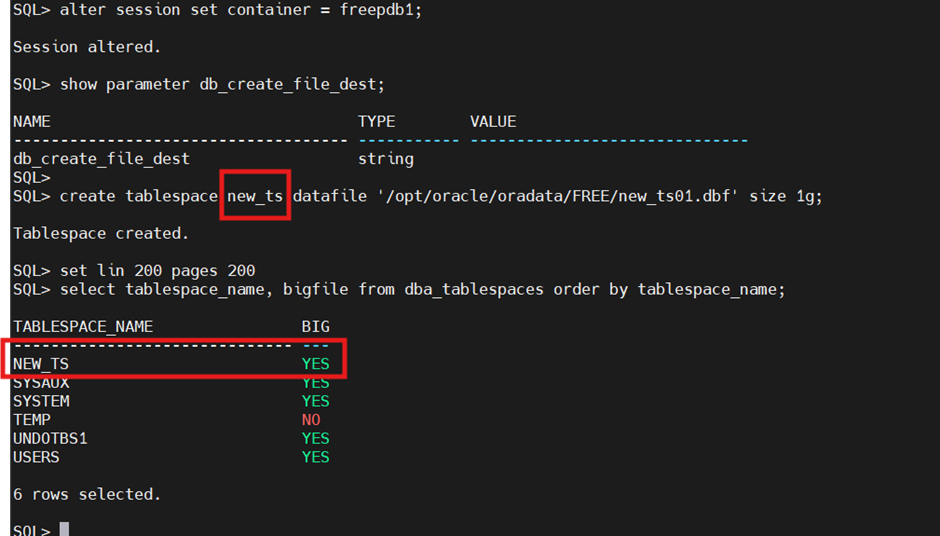
Another important change in 26ai is the default behavior when creating new tablespaces.
If you create a tablespace without specifying BIGFILE or SMALLFILE, the database now defaults to BIGFILE.
SQL> alter session set container = freepdb1;

Session altered.

SQL> show parameter db_create_file_dest;

NAME                                 TYPE        VALUE
------------------------------------ ----------- ------------------------------
db_create_file_dest                  string
SQL>
SQL> create tablespace new_ts datafile '/opt/oracle/oradata/FREE/new_ts01.dbf' size 1g;

Tablespace created.

SQL> set lin 200 pages 200
SQL> select tablespace_name, bigfile from dba_tablespaces order by tablespace_name;

TABLESPACE_NAME                BIG
------------------------------ ---
NEW_TS                         YES
SYSAUX                         YES
SYSTEM                         YES
TEMP                           NO
UNDOTBS1                       YES
USERS                          YES

6 rows selected.