

Compartment Creation in OCI
Identity & Security –> Compartments –> Create Compartment
Introduction
In Oracle Cloud Infrastructure (OCI), Compartments are a fundamental logical construct used to organize, isolate, and control access to cloud resources. They help in structuring environments such as Lab, Dev, Test, and Production, and are tightly integrated with IAM policies, billing, and resource governance.
What is a Compartment?
A Compartment is a logical container used to group related OCI resources such as:
- Compute instances
- Networking components (VCN, Subnets, Gateways)
- Databases
- Load balancers
- Object storage buckets
Key Characteristics
- Compartments are global (not region-specific)
- Every resource belongs to exactly one compartment
- Compartments can be nested (parent–child hierarchy)
- IAM policies are written against compartments
- Billing and cost analysis are also compartment-based
Why Compartments are Important?
Logical Separation
Compartments allow you to separate resources logically:
- By application
- By team
- By environment (Dev / QA / Prod)
- By service type (Compute / Network / Database)
Governance & Billing
- Track costs per compartment
- Apply tag defaults
- Enforce security boundaries
Compartment Hierarchy Design
Root Compartment │ └── Anish-Lab ├── Compute-Comp └── Network-Comp
Why this design?
- Clear separation of networking and compute
- Easier policy management
- Cleaner billing reports
- Scales well as the environment grows
Step-by-Step Creation of Compartment
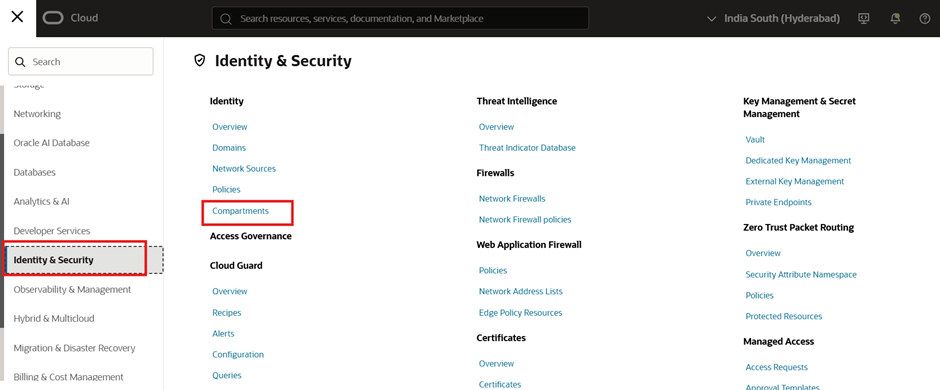
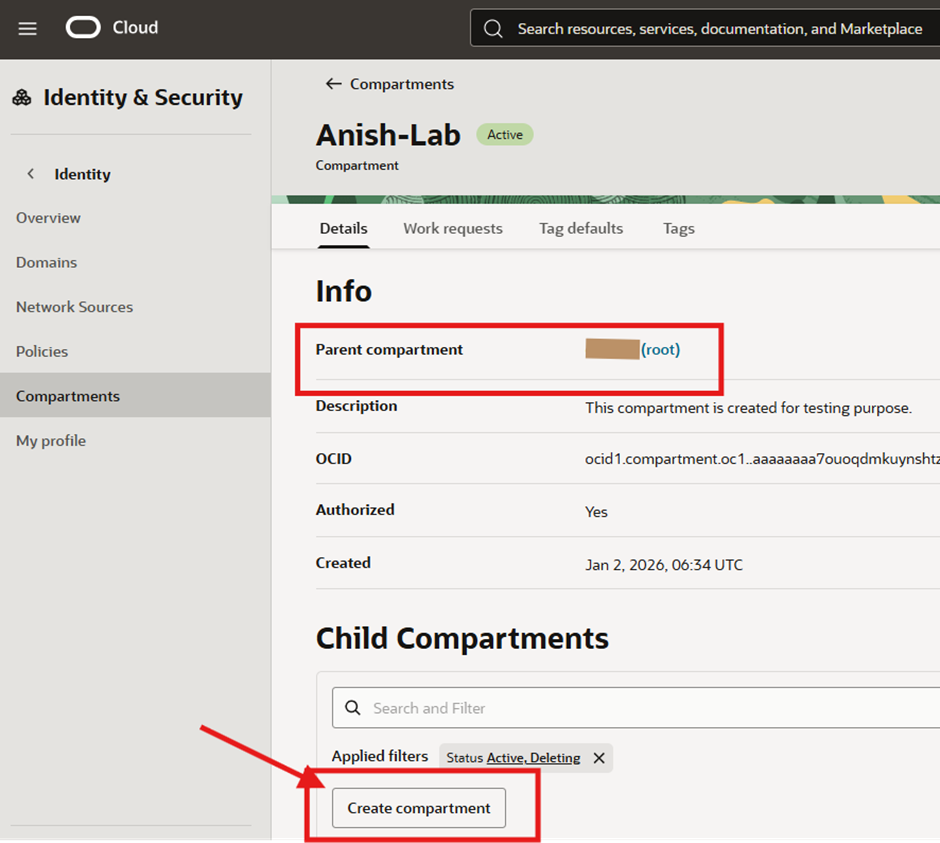
Step 1: Navigate to Compartments
- Go to OCI Console
- Open Identity & Security
- Click on Compartments
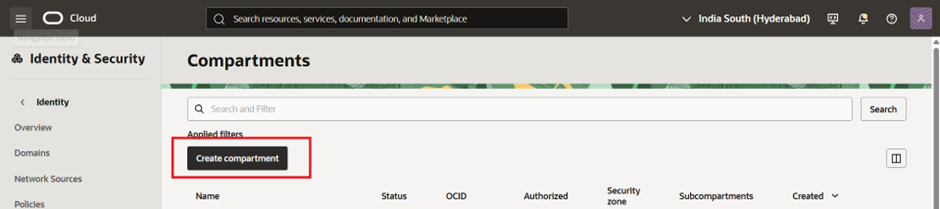
Step 2: Create a New Compartment
- Click Create compartment
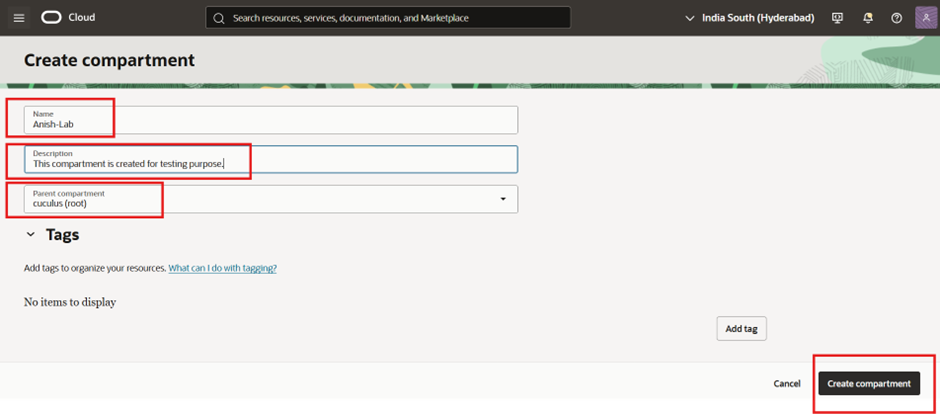
- Fill in:
Name: Anish-Lab Description: This compartment is created for testing purpose Parent compartment: (root)
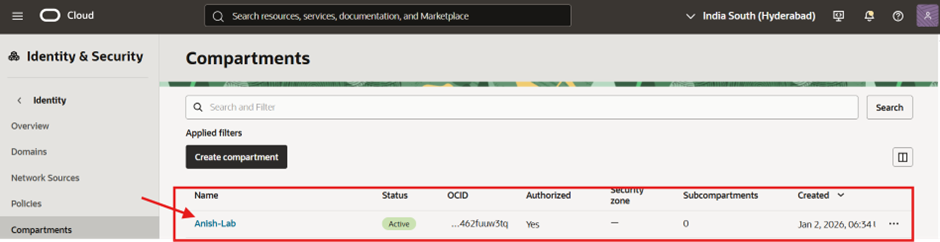
Step 3: Verify Compartment Creation
- Ensure the compartment status is Active
- Note the OCID for future use
- Confirm Parent Compartment = root
Creating Child Compartments
Once the parent compartment (Anish-Lab) is ready, create service-specific child compartments.
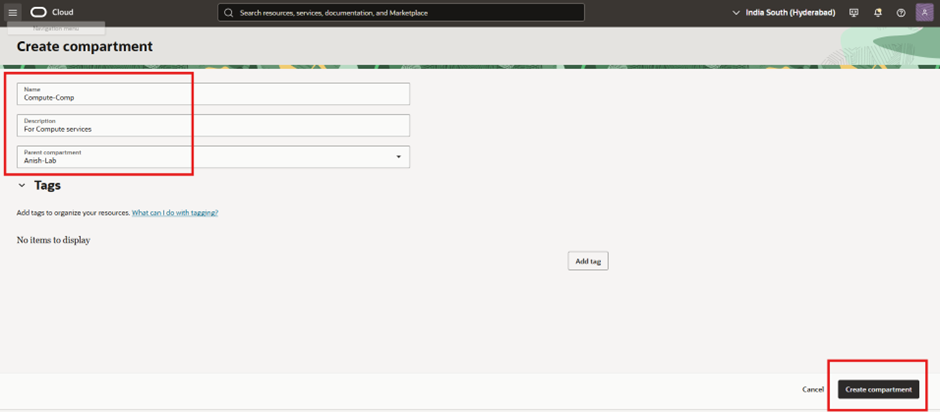
Name: Compute-Comp Description: For Compute services Parent compartment: Anish-Lab
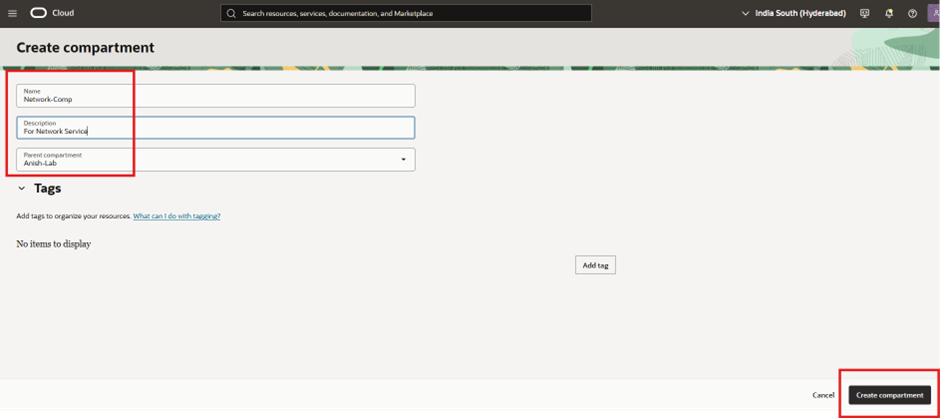
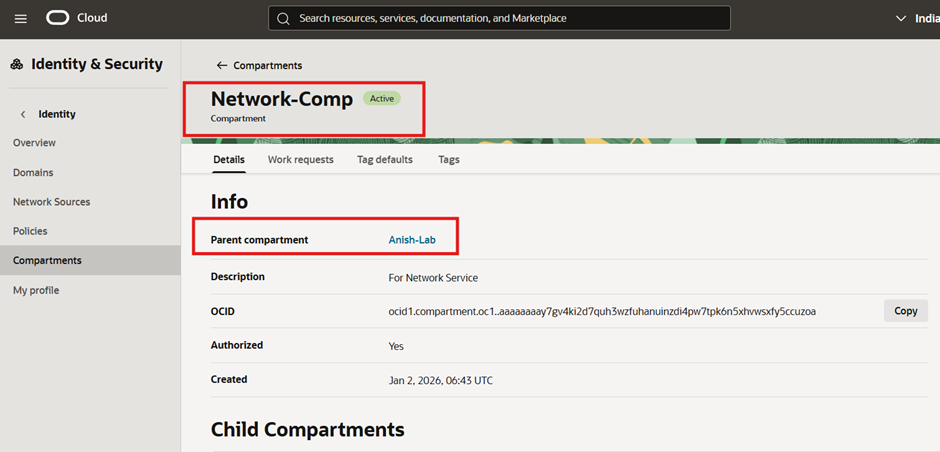
Name: Network-Comp Description: For Network Service Parent compartment: Anish-Lab
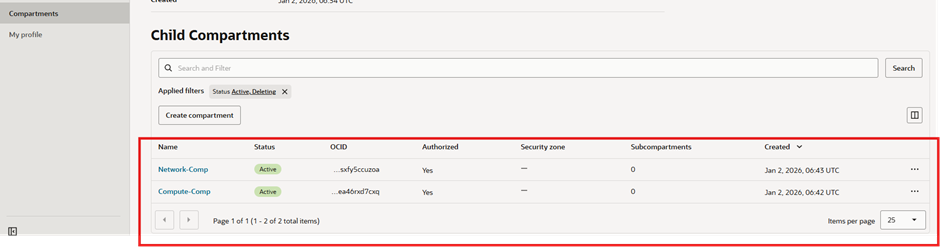
- Verify Child Compartments
- Both compartments should appear as Active
- Parent should be Anish-Lab
(root) └── Anish-Lab ├── Compute-Comp └── Network-Comp
Compartments are the foundation of OCI governance. A well-designed compartment structure simplifies:
- Security
- Access control
- Cost tracking
- Long-term maintenance
The structure demonstrated here is ideal for labs, POCs, and real enterprise environments.